
Your team, your rules.

Your IT team decides which models are allowed, who can access what, and how the organisation uses AI. Full visibility and full control, without slowing anyone down.
Model allowlistsRole-based accessFull audit log
echochat.nl
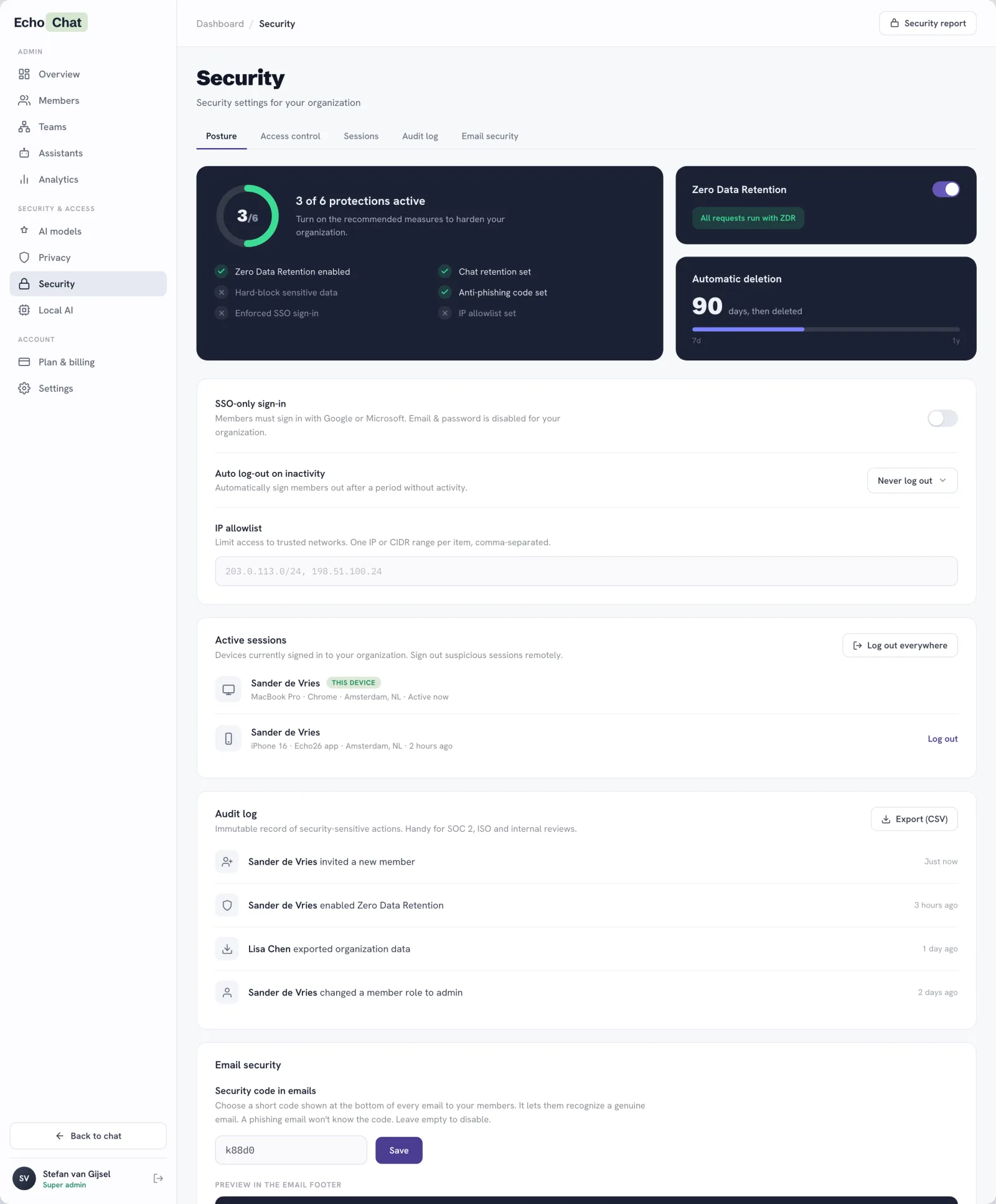
EchoChat organization security settings — posture, Zero Data Retention, sessions and audit log

Decide who can do what.

Before anyone sends a prompt, you set the rules: which models are allowed, who can use them, and a complete record of everything that happens.

Model allowlist
Decide exactly which models your team can use. Block consumer models or lock to EU providers.
Audit log
Every action is logged. See who did what, when, and what policy blocked.
09:01jan.smitLoginok
09:14k.visserExport attemptedwarn
09:22m.bergPolicy violationblocked
10:05adminModel switchedok
10:31s.dijkBlocked: PII in promptblocked
Usage policies
Set organisation-wide rules, per workspace or globally.

Oversight that respects your people.

An admin should see how AI is used, not what is said. EchoChat surfaces models, volume and policy events at the organisation level, while the content of every conversation stays private to the people in it. Oversight without looking over shoulders.

Set your data rules once.

Set your data rules once and they apply to every conversation, every member and every model. No per-chat switches for anyone to forget.

Sensitive data detection
Catch PII, client names and NDA project names before they leave. You choose what happens.
Send the contract to Acme Corp about Project Falcon
Author warned before sending
Custom termsAcme CorpProject FalconNDA-2024+ add
Automatic deletion
Data minimisation by default. Conversations and files are deleted on a schedule you set.
90days, then deleted
7d1y
Zero Data Retention
Enforce ZDR for the whole organisation so providers keep nothing after a request.
All requests run with Zero Data Retention

Choose where AI runs.

Not every workload belongs with a US provider. Route each capability to EU infrastructure or to hardware you control, on its own terms.

  • EU or local transcription for voice notes
  • Local models for chat, images and transcription
  • Set it per capability, never all or nothing
Transcription engine
Choose where voice notes and recordings are transcribed.
Processed on EU servers, no training
Local models Beta
Allow models that run on our EU or your private infrastructure, per capability.

See who is using what.

Give everyone their own allowance, mix plan tiers within one team, and see exactly how AI is used without reading a single message.

  • Per-member allowance, set by each member's tier
  • Mixed tiers in one team, changed anytime by an admin
  • Usage, active members and top models, any period
Users, teams & tiers
Every member has their own monthly allowance, set by their plan tier. Mix tiers in one team and change anyone's tier as their needs grow.
Anna38%
Ben54%
Carla100% · limit
Dans26%
Carla reached her allowance. An admin can raise her tier or grant extra credits; the rest of the team is unaffected.
Usage analytics
See usage over time, active and inactive members, and the most used models. Export any period.
Export ↓
22 / 24active members
Mistral Largemost used model

Roll out AI on your terms.

Admin panel, model allowlists, audit logs, SSO. You decide how AI is used in your org.